Your show type sets the order of your episodes. Episodic lists them by publication date, newest first. Serial lists them by season and episode number, starting at Episode 1.
Episodic
New RSS.com podcasts are Episodic by default. Your newest episode appears at the top, on your RSS.com page and in podcast apps. Season and episode numbers don't change that order.
Episodic ordering is best for standalone or topical shows where each episode can be heard in any order, such as news commentary, interviews or weekly talk shows.
Serial
If your show follows a storyline, or you want your audience to start with the first episode, choose Serial. Episodes are ordered by season and episode number rather than publication date, so Episode 1 comes first.
Serial ordering is best for narrative podcasts, audio dramas, or any series where listening in a specific order is important.
If you use seasons, your RSS.com page groups the episodes under a heading for each season.
How to switch from Episodic to Serial
If you originally set your show to Episodic but need to change it to Serial (or vice versa), follow these steps:
- Open Settings.
- Find the Episodes order section.
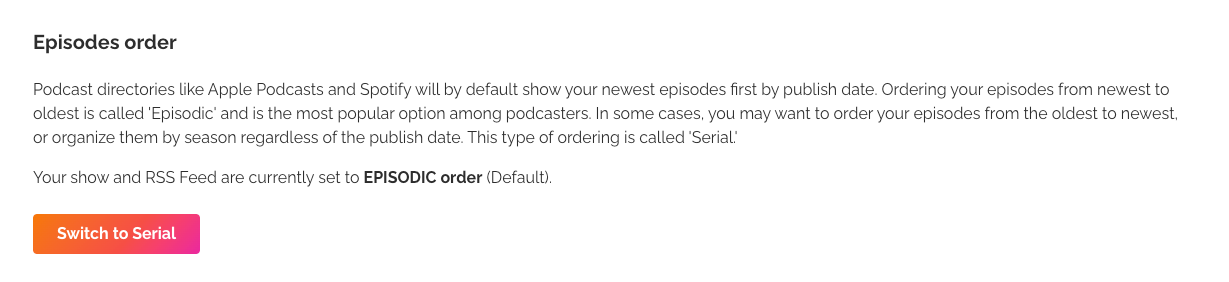
- Click Switch to Serial, or Switch to Episodic if your show is Serial.
- Confirm with Yes, switch to Serial (or Yes, switch to Episodic). The change applies right away.
Apple Podcasts and Spotify can take up to 24 hours to show your episodes in the new order.
How apps show your episodes
Apple Podcasts and Spotify follow your show type. On an Episodic show, they list the newest episode first. On a Serial show, they order episodes by season and episode number, starting at Episode 1.
Listeners can also change the sort order of a show in their own app, so some of them may see a different order.
Tips for better organization
- Use seasons and episode numbers, especially on a Serial show. Set them on each episode so apps can order them correctly.
- Check your publication dates on an Episodic show, because the date sets the order. To place a new episode among older ones, publish it with a past date.
- Tell your audience if you switch from Episodic to Serial, so they know why the newest episode now appears at the bottom and where to start.
To renumber your episodes, see How can I change the order of my episodes? For narrative shows on Apple Podcasts, see Best practices for serialized shows on Apple Podcasts.
Was this article helpful?
That’s Great!
Thank you for your feedback
Sorry! We couldn't be helpful
Thank you for your feedback
Feedback sent
We appreciate your effort and will try to fix the article