To change the card or other payment method your subscription is charged to:
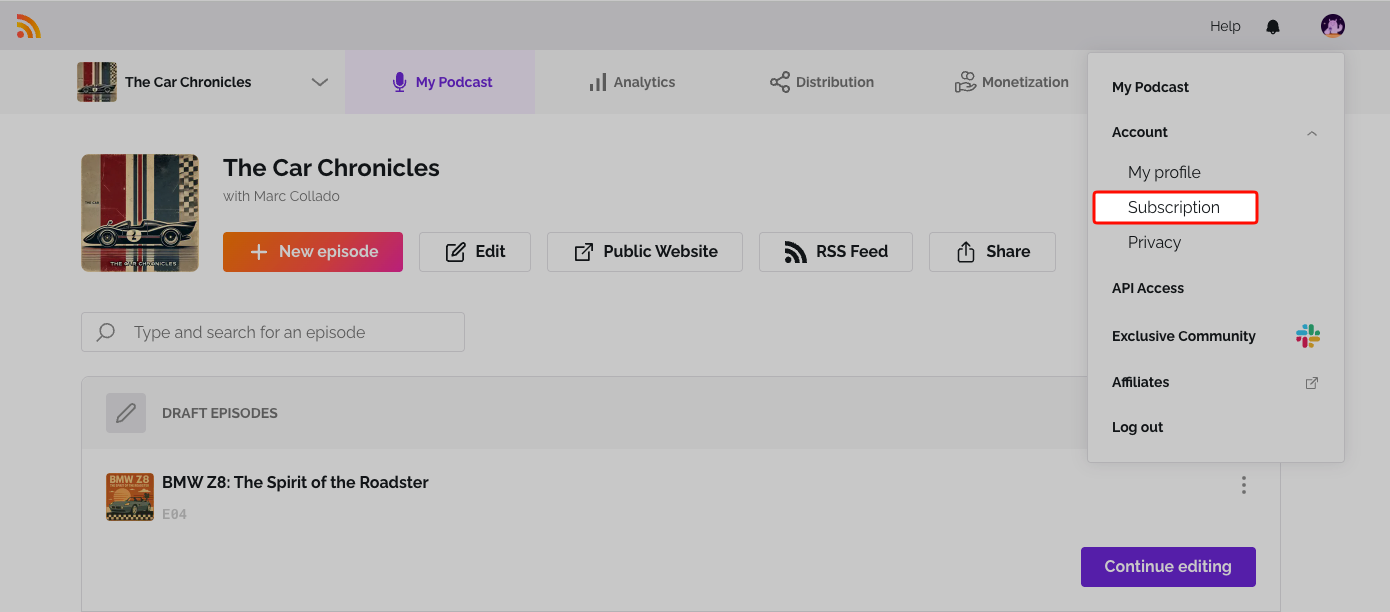
- Click the user icon at the top right, open Account and select Subscription.
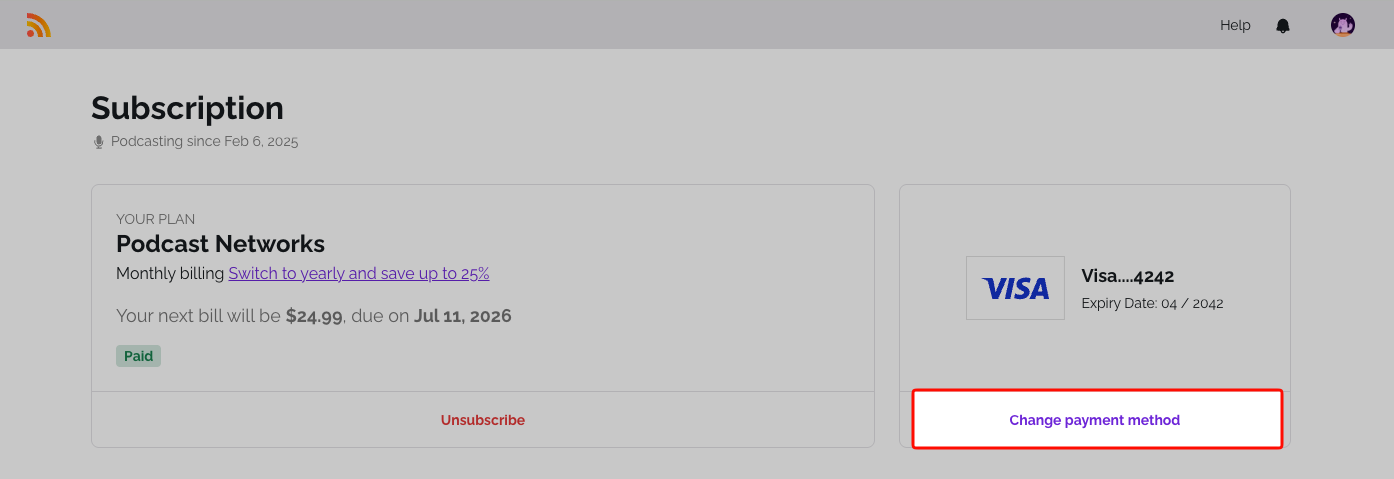
- Click Change Payment Method.
- Enter your new card details and click Save Card. Depending on your device, the page can also offer a wallet such as Apple Pay or Google Pay.
Your next payment will use the new payment method.
Related: Update your billing information · Add a card without a subscription
Was this article helpful?
That’s Great!
Thank you for your feedback
Sorry! We couldn't be helpful
Thank you for your feedback
Feedback sent
We appreciate your effort and will try to fix the article