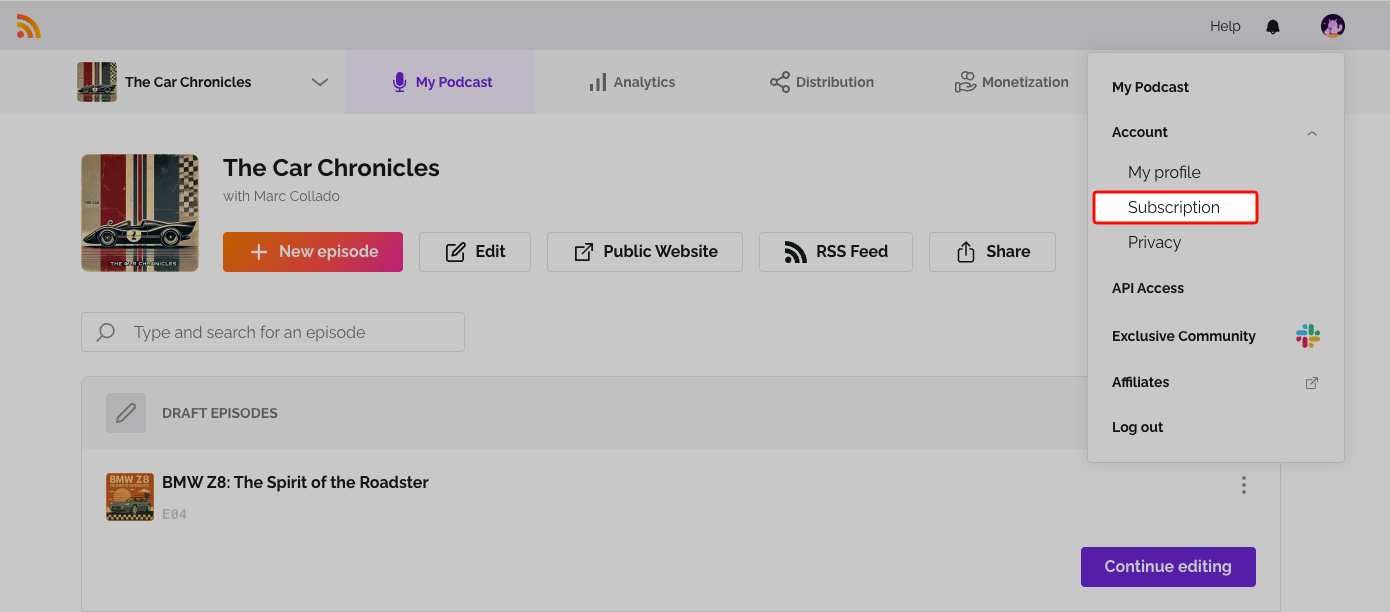
Your subscription can be in one of a few states. Here's what each one means and what you can do. To see your current status, click the user icon at the top right, open Account and select Subscription. Your status shows under Your Plan.
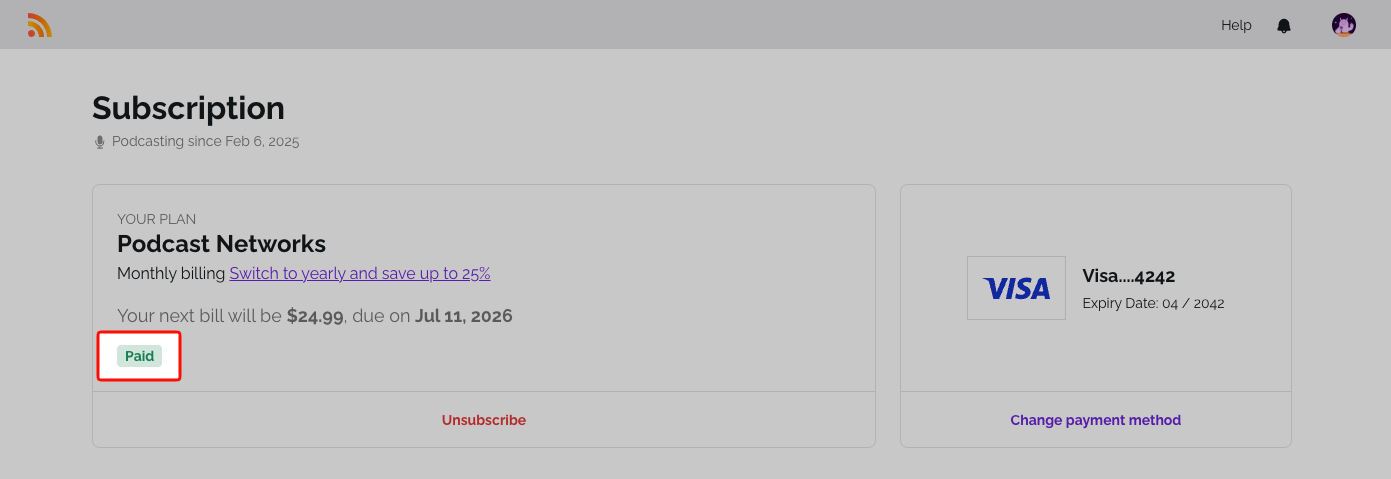
Active (Paid)
Your plan is running and renews automatically. You have full access to everything on your plan.
Canceled
You've turned off automatic renewal, but the period you already paid for hasn't ended yet. You keep full access until then, and you can turn renewal back on any time. See Reactivate or restore your subscription.
Past Due and Incomplete
A payment didn't go through. Past Due means a renewal payment failed. Incomplete means the first payment of a new subscription failed. The Subscription page shows how long you have to retry.
- Update your payment details with Change payment method.
- Click Retry payment, or open Invoices and click Pay now on the open invoice.
Deleted
The paid period has ended and the subscription is no longer active. Your podcast moves into Hibernation: your episodes and stats are kept safe, but you can't publish or edit until you restore it. See Reactivate or restore your subscription.
Expired
The first payment wasn't completed in time, so the subscription expired. Restore it the same way as a Deleted subscription. See Reactivate or restore your subscription.
Related: How to cancel your subscription · Reactivate or restore your subscription
Was this article helpful?
That’s Great!
Thank you for your feedback
Sorry! We couldn't be helpful
Thank you for your feedback
Feedback sent
We appreciate your effort and will try to fix the article