If you're importing a podcast to RSS.com, you may need a card on file before you choose a plan. You can add one without subscribing:
- Click the user icon at the top right, open Account and select Subscription.
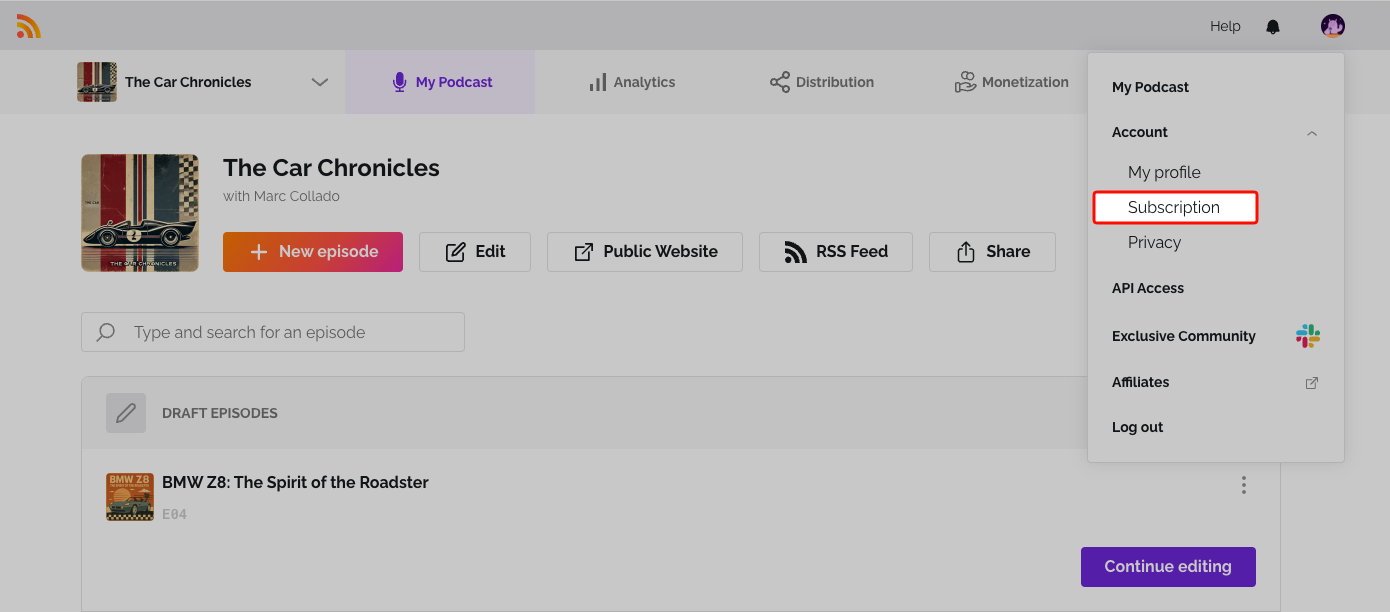
- Click Add payment method.
- Enter your card details and click Save Card.
Adding a card here doesn't start a subscription or charge you. To change it later, see Update your credit card.
Was this article helpful?
That’s Great!
Thank you for your feedback
Sorry! We couldn't be helpful
Thank you for your feedback
Feedback sent
We appreciate your effort and will try to fix the article